The store will not work correctly in the case when cookies are disabled.
- Home
- Getting Started Guide
New User Starter Guide
Getting Started with Endeva Workwear
Watch the intro video, then follow the steps to create your account.
How to create an Endeva account
First time using Endeva? Create a user account (all agency employees qualify).
- Ensure you are at the correct webstore for your employment agency. If not, go to endeva.com.au/login and select your agency.
- Click “Create an Account” (top right).
- Follow the steps to create and activate your account.
Tip: Once your account has been activated, you can begin raising invoices or placing orders straight away.
|
|
New User Starter Guide
How to Purchase from Endeva
There are two ways to purchase workwear, PPE and interview clothing from Endeva:
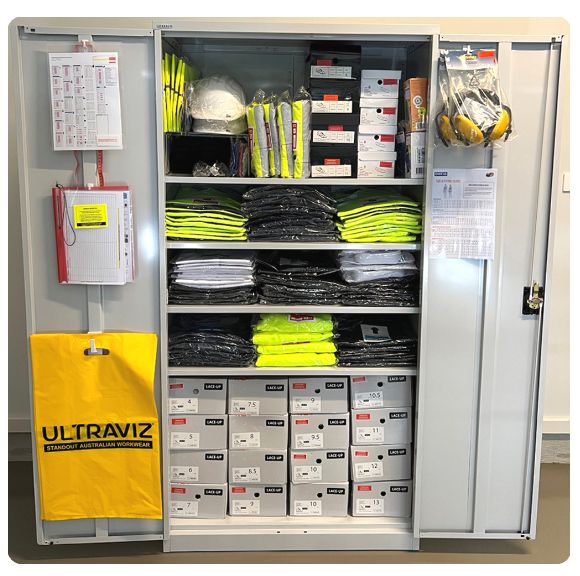
- Method 1: Taking Goods from the Endeva Cabinet — available only if your office has a cabinet installed.
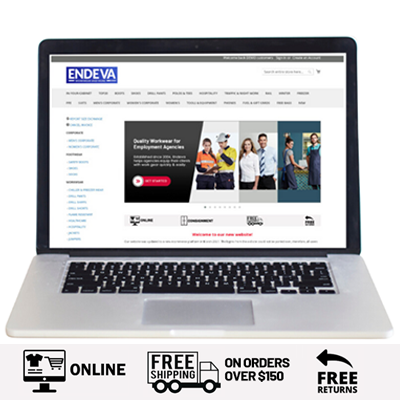
- Method 2: Purchasing from the Endeva Online Store — available to all customers.
Method 1: Taking Goods from the Endeva Cabinet
Take items from your Endeva Cabinet, then raise an invoice online for what you used.
How to generate an invoice (for cabinet items)
- Take what you need and record it in the Endeva Register.
- Log in at endeva.com.au/login.
- Add the items to your cart (use In Your Cabinet for quick access).
- At Shipping, choose “I Took Items from Endeva Cabinet, Re-Stock Required.”
- Enter client details and complete checkout.
- Download the invoice and send to accounts.
Important:
- Raise an invoice before giving items to clients (or by 5:00 PM the same day).
- Cabinet stock is replenished weekly once spend reaches $400.
- Please ensure you use the Red Register to help us resolve any stock discrepancies.
Method 2: Purchasing from the Online Store
Order from our full range and deliver to your office or directly to your client.
How to place a special order
- Log in at endeva.com.au/login.
- Add items to your cart.
- At checkout, choose delivery:
- Special Order — deliver to your office
- Direct to Jobseeker — deliver directly to your client
- Enter client details.
- Download the invoice and send to accounts.
First order bonus: use code AGENCY at checkout for free standard shipping on your first order.